Types of events to record during the intraoperative phase
Morton’s Intraoperative module brings together everything that happens during surgery. This guide describes what you document in each area of the module, how it works, and how it ends up in the intraoperative prenote.
Two ways to record
Morton splits the Intraoperative module into two areas.
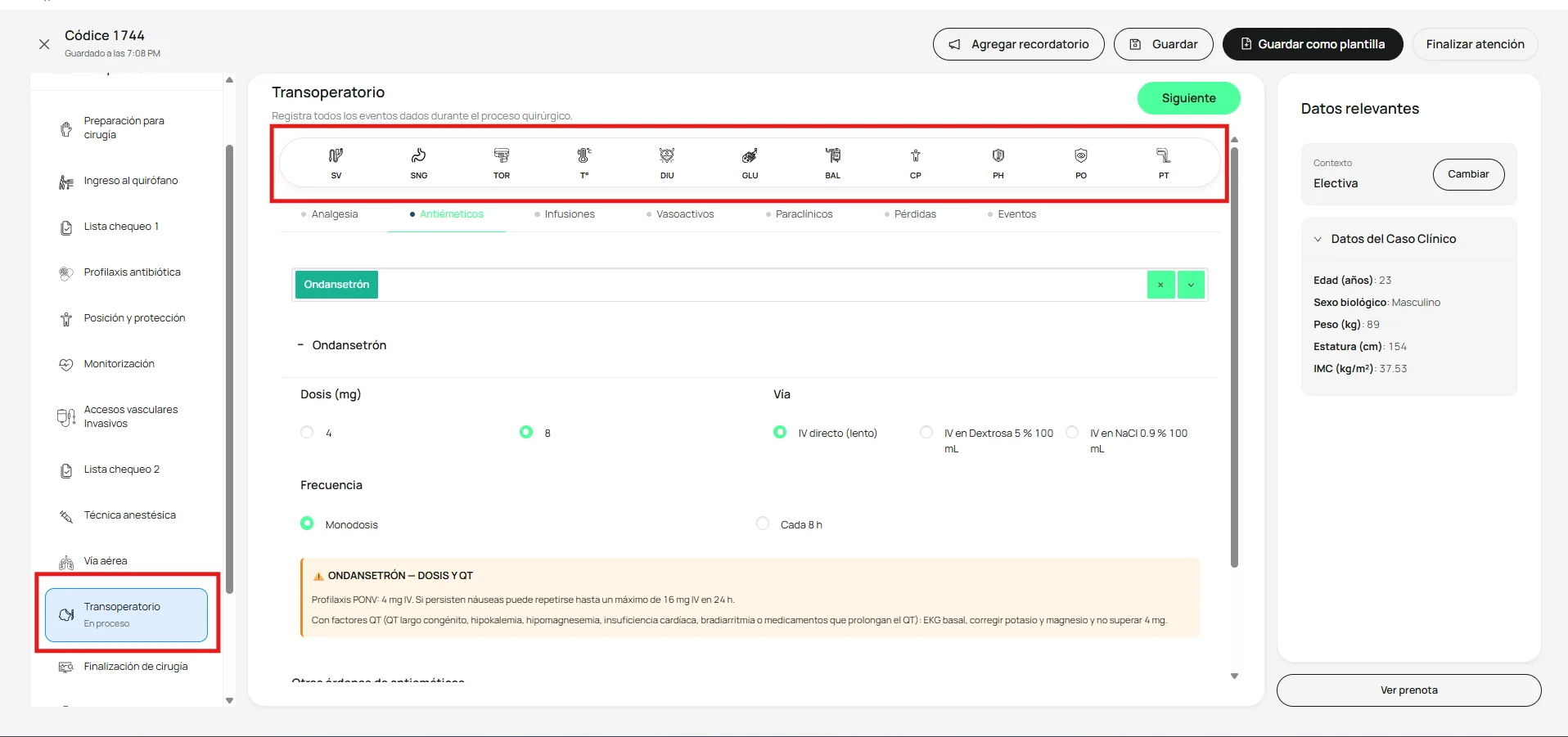
The top icon bar holds 11 quick records: SV, SNG, TOR, T°, DIU, GLU, BAL, CP, PH, PO, and PT. Each icon opens a “New record” modal with its own fields. Once you complete the form, the record is saved and added to the prenote.
The lower tabs (Analgesia, Antiemetics, Infusions, Vasoactives, Diagnostic tests, Losses, Events) hold the rest of the record. As you fill in a tab, its section turns green to show it has content. Everything you record goes into the intraoperative prenote.
Tabs and sections with content turn green. Use that as a visual checklist so nothing relevant to the case is left blank before you move on.
Procedures and devices
Three records cover insertions and instrumentation during the procedure.
SV — Urinary catheter. Record when it was placed (pre-induction, post-induction, intraoperatively, or at the end of surgery) and the outcome (technically difficult, successful without complications, failed, or already in place). You can add any extra details the case calls for.
SNG — Nasogastric tube. Choose between a nasogastric or orogastric tube and describe the procedure using the available options.
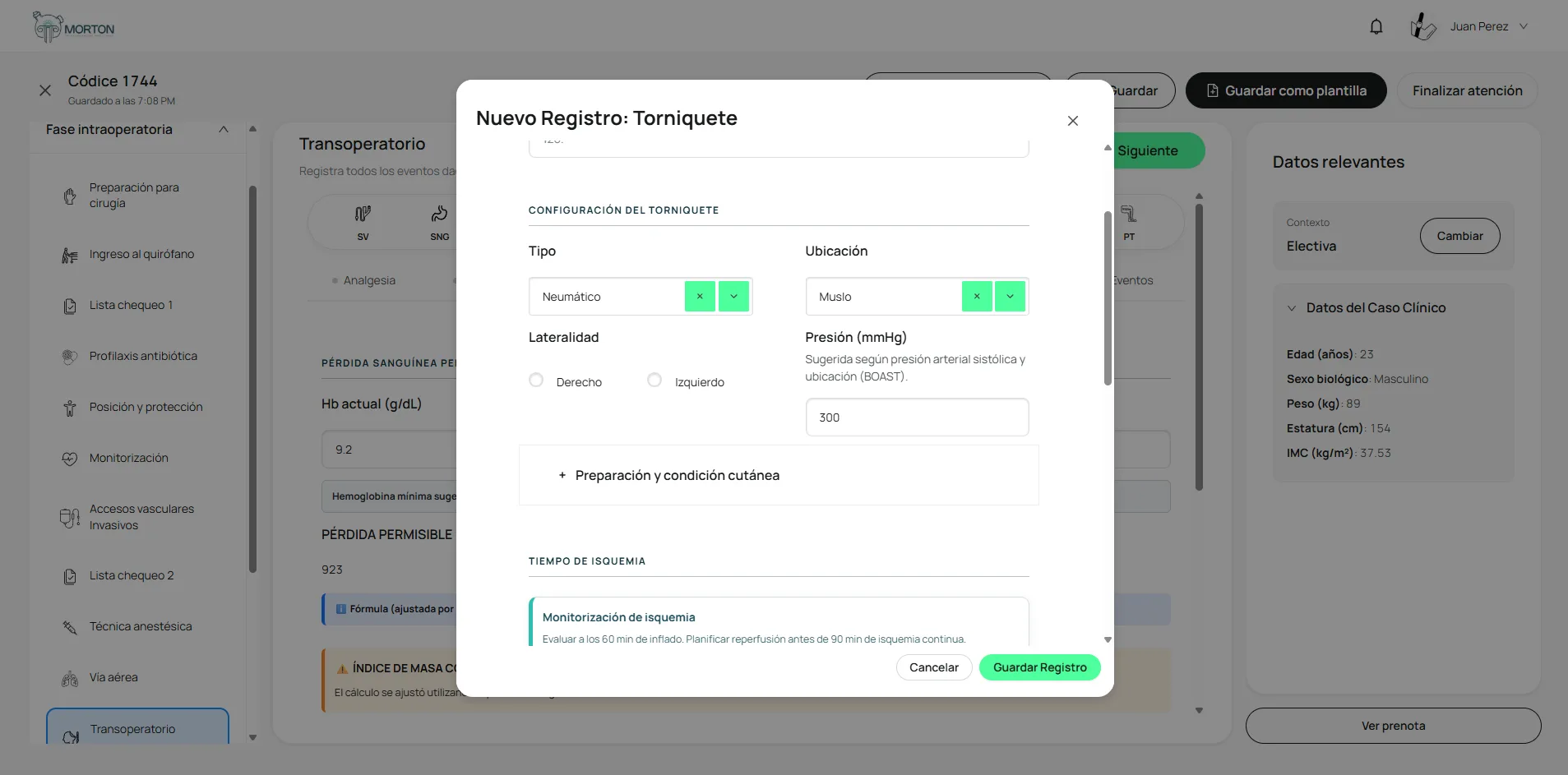
TOR — Tourniquet. Record the type, site, laterality, and pressure in mmHg, along with skin prep and condition. Ischemia monitoring includes inflation time, deflation time, and total tourniquet time.
Physiologic monitoring and fluid balance
Four records capture quantitative clinical data during the procedure.
T° — Temperature. Record the temperature in °C, the measurement site, the time, and the warming and prevention measures used (warmed IV fluids, forced-air warming blanket, electric blanket, warming mattress, warm irrigation, thermal cap, room temperature ≥ 21 °C, among others).
DIU — Urine output. Enter the time of the measurement, the volume in mL, and the collection time in hours. Morton automatically calculates hourly urine output (mL/h) and weight-based urine output (mL/kg/h).
GLU — Blood glucose. Record the date, time, method (capillary or glucometer), and blood glucose value in mg/dL. Morton classifies the value automatically and shows a warning when a capillary reading may be inaccurate: vasoconstriction, peripheral hypoperfusion, significant edema, or anemia with hemoglobin below 6 g/dL.
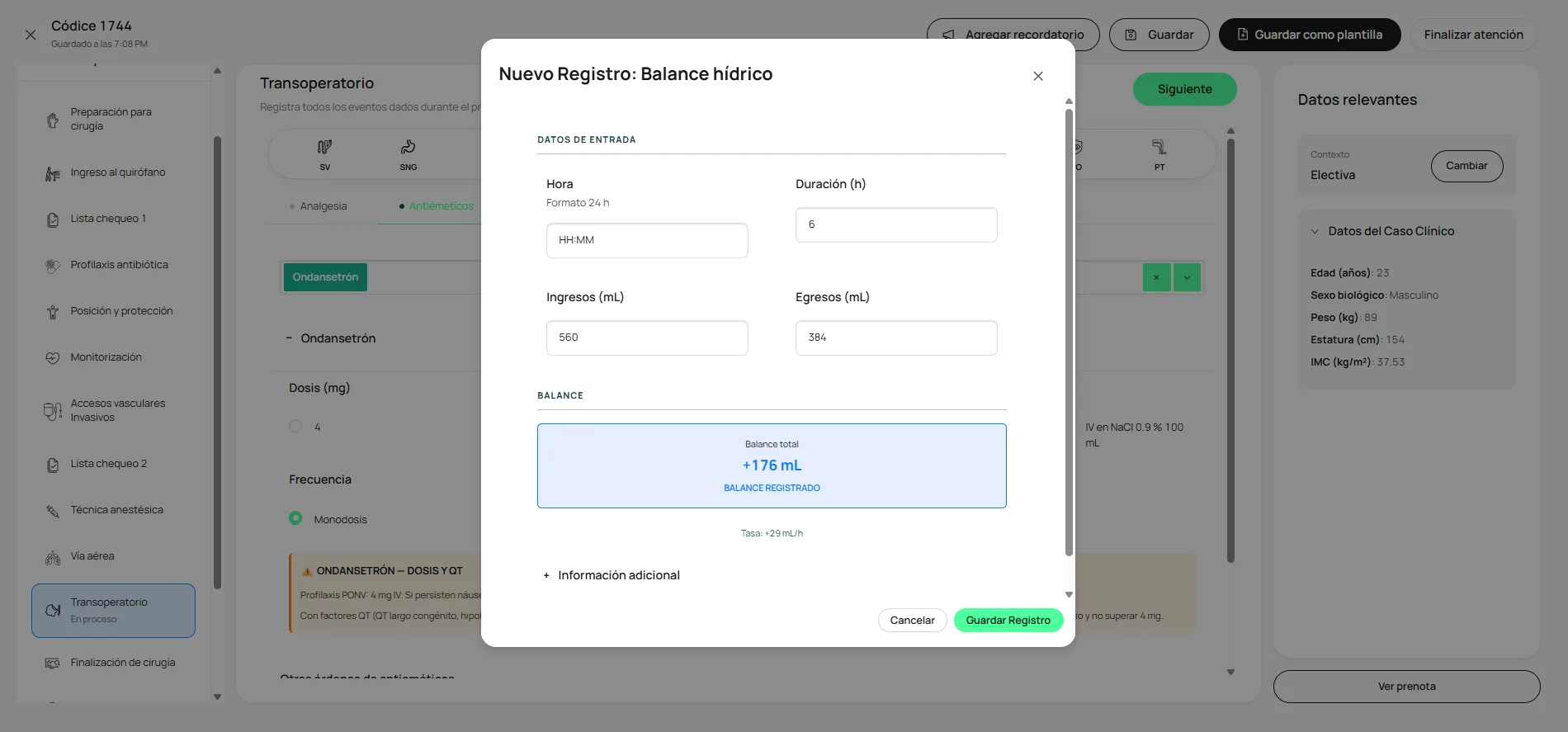
BAL — Fluid balance. Record the time, duration in hours, and intake and output in mL. Morton automatically calculates the total balance (with its sign) and the hourly rate.
Care and prevention
Four records document protective and prophylactic measures during the procedure.
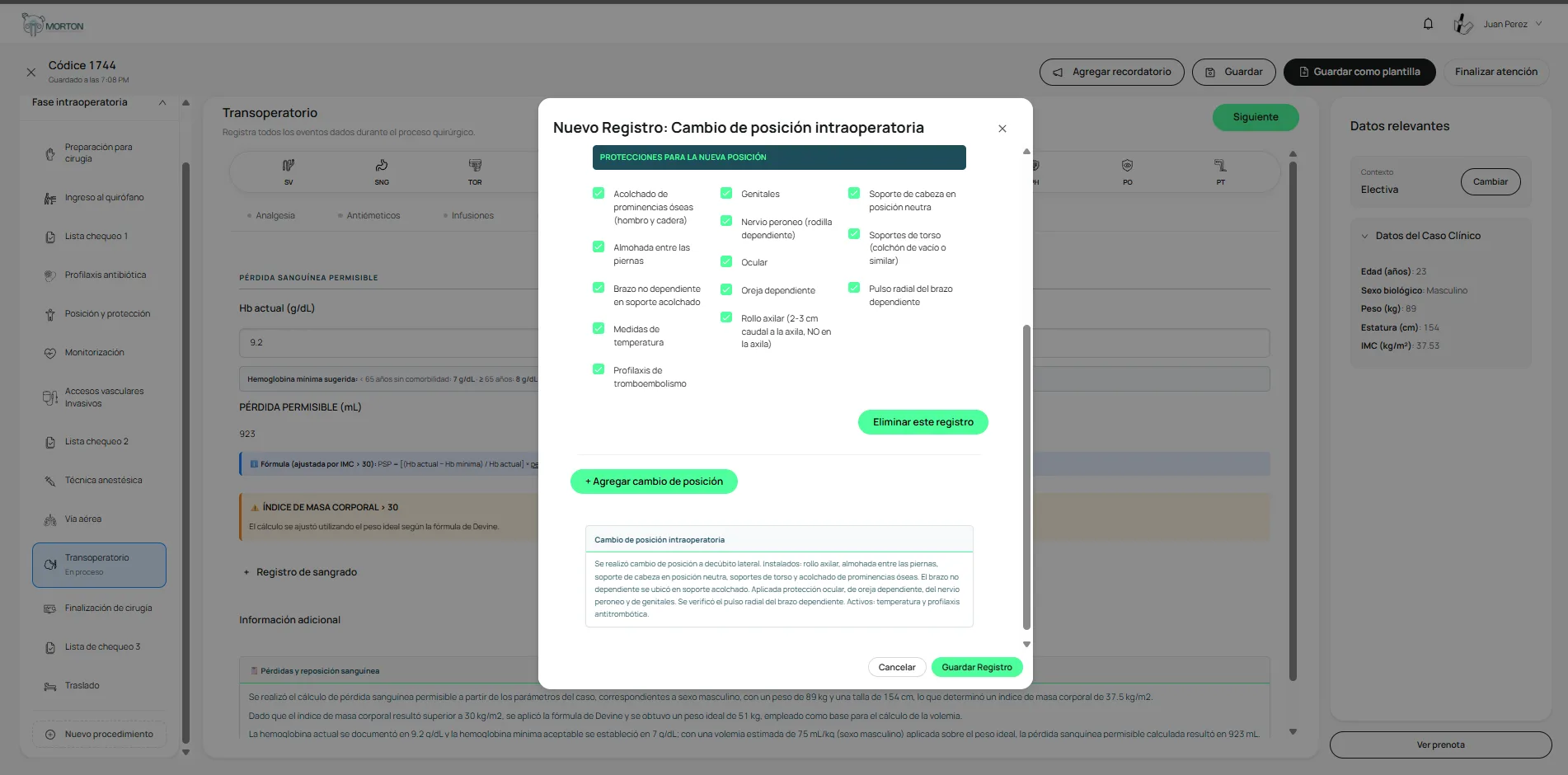
CP — Intraoperative position change. Record the time of the change, the new position, and the reason. The position list includes lateral decubitus, prone, prone with a three-pin head holder, supine and its variants, Fowler/semi-Fowler, lithotomy, jackknife, Trendelenburg, and reverse Trendelenburg. When you select a position, Morton preselects the standard protections for that position; uncheck any that don’t apply. You can add multiple position changes, and Morton writes a note for each one automatically.
PH — Hypothermia prevention. Document the measures used, grouped as active, fluids and gases, passive, and monitoring (continuous temperature monitoring, prewarming, forced-air warming, IV fluid warming, humidification of inspired gases, covering exposed areas).
PO — Eye protection. Record the measures used, such as lubricating gel and bilateral taping of the eyelids.
PT — Thromboembolism prophylaxis. Document the measures used: intermittent pneumatic compression, graduated compression stockings, or leg elevation.
Medication orders
Four tabs in the module group the drugs given during the intraoperative period.
Analgesia. Select analgesics from the list and complete the dose, route, and frequency for each one. There’s also a free-text field for other orders.
Antiemetics. Choose the antiemetic (for example, ondansetron) and set the dose, route (slow IV push, IV in 100 mL of D5W, or IV in 100 mL of 0.9% normal saline), and frequency (single dose or interval).
Infusions. A list of continuous infusions with suggested doses and infusion rates. It includes dexmedetomidine, epidural infusion, hydromorphone, subanesthetic ketamine, lidocaine, IV PCA, and magnesium sulfate, among others.
Vasoactives. Choose the vasoactive agent and set the dose, route, and frequency.
In every tab, Morton preloads the suggested dose based on the patient’s weight. You can edit the values to fit the clinical case, the patient’s response, or your institution’s protocols.
Ordering diagnostic tests
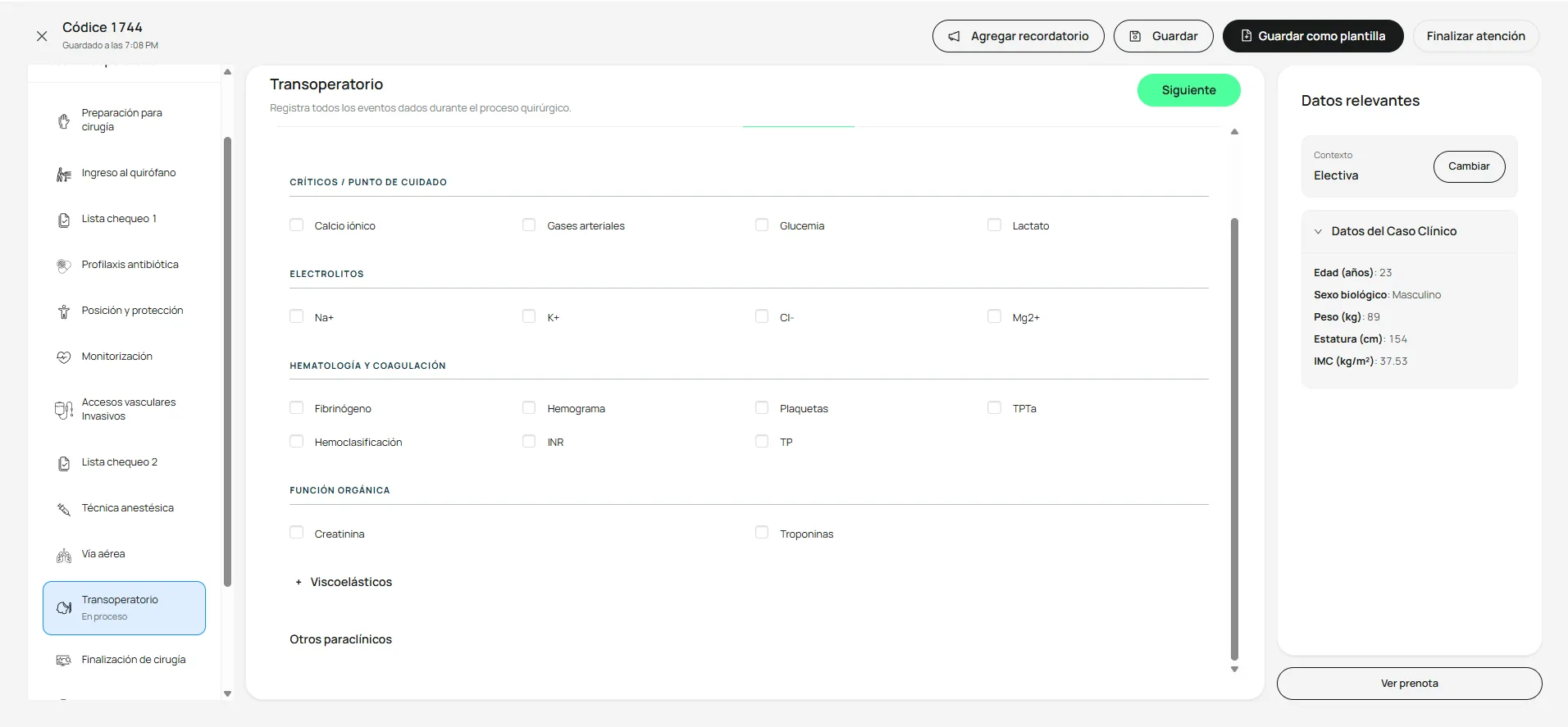
The Diagnostic tests tab organizes orders and results by clinical category:
- Critical / point of care: ionized calcium, arterial blood gases, blood glucose, lactate.
- Electrolytes: Na+, K+, Cl-, Mg2+.
- Hematology and coagulation: fibrinogen, CBC, platelets, aPTT, blood type and screen, INR, PT.
- Organ function: creatinine, troponin.
- Viscoelastic testing: TEG, ROTEM.
- Other diagnostic tests: a free-text field for anything not covered by the predefined categories.
Losses and bleeding
The Losses tab combines two complementary pieces.
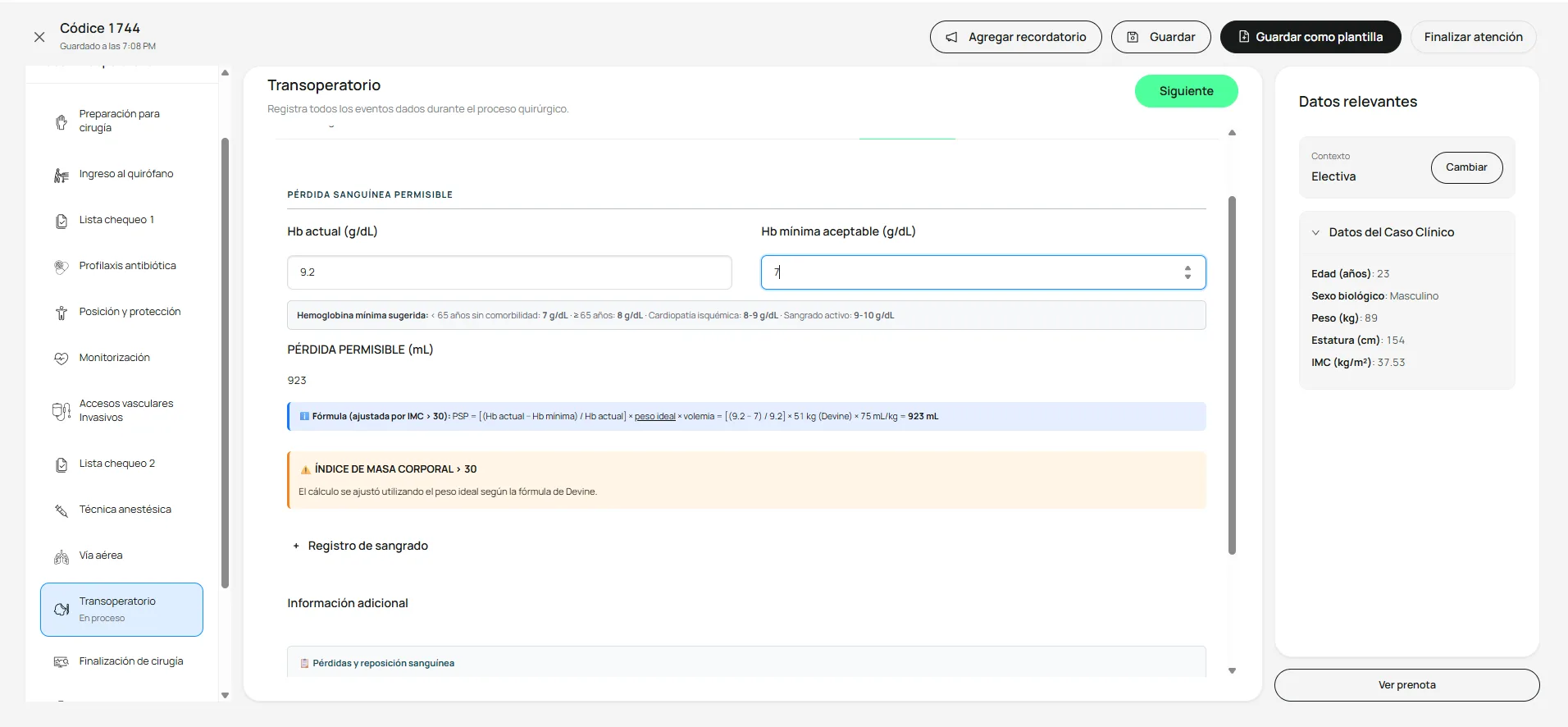
Allowable blood loss (ABL). Calculated automatically from the patient’s current hemoglobin, minimum acceptable hemoglobin, weight, and estimated blood volume. The formula is:
ABL = [(current Hb − minimum Hb) / current Hb] × weight × estimated blood volume
Morton shows a built-in reference for the suggested minimum hemoglobin by age and comorbidity.
Blood loss log. Document each measurement with the time, volume in mL, and source (suction canister, sponges, cell saver reservoir). You can add several measurements throughout the procedure to keep a running total.
Clinical events
The Events tab records relevant clinical incidents during the procedure, organized by category:
- Hemodynamic.
- Respiratory.
- Pharmacologic / allergic.
- Surgical: change of technique, intraoperative awareness, equipment failure, major bleeding, among others.
Every event you record is added to the intraoperative prenote.
What if something goes wrong?
A section was left unrecorded
Use the green indicator as your guide: tabs and sections with content turn green. If one that applies to your case isn't green, open it and complete it before moving on to the next section.
You opened a quick record but it wasn't saved
Records in the icon bar (SV, SNG, TOR, T°, DIU, GLU, BAL, CP, PH, PO, PT) are saved when you complete their form. If you left required fields blank, open the icon again and finish filling it in.
Related articles